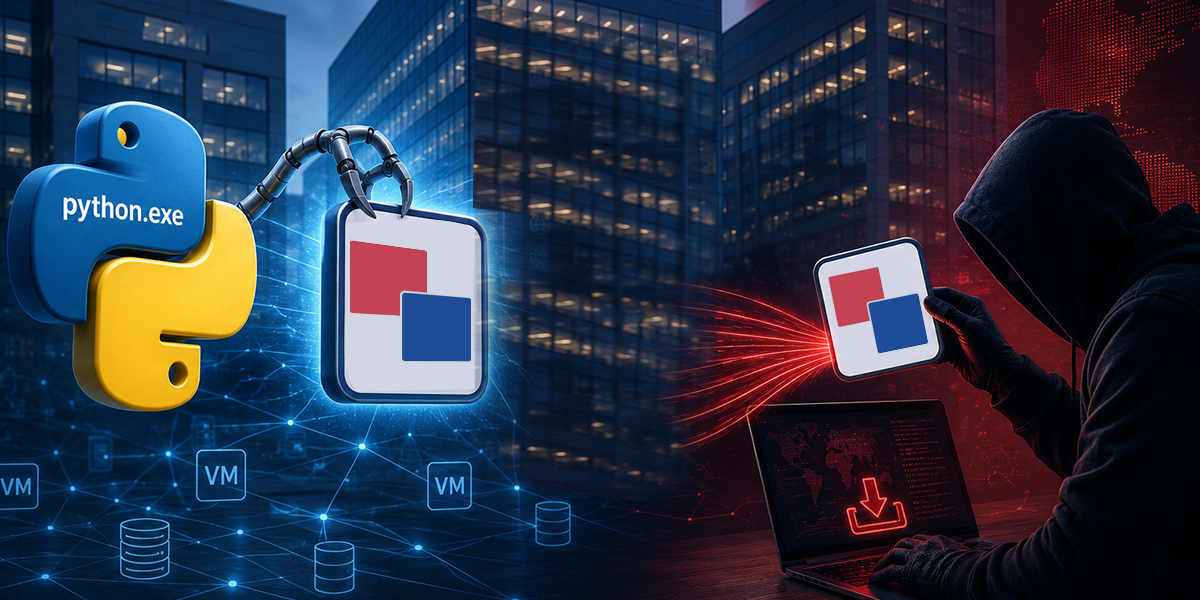
While reviewing detections on VirusTotal, a low-detection MSI caught my attention — flagged by only a handful of engines but with a suspiciously clean signature. A quick pivot led me to a post by @g0njxa on X (twitter), which confirmed others had spotted the same file being distributed as a fake RVTools installer.
RVTools is a go-to utility for VMware administrators, widely used across enterprise environments to get detailed visibility into virtual infrastructure. Since it is typically run by people with high-level domain access, it makes for an attractive impersonation target — and whoever built the fake installer knew exactly that. What made this campaign particularly effective was the use of a legitimately issued Sectigo code-signing certificate, registered under what appears to be a shell entity — Xiamen Lunwei Huage Network Co.(Sectigo), Ltd. At the time of delivery, the certificate was fully valid, meaning Windows SmartScreen and most endpoint controls raised no flags. It has since been revoked, though it offers limited protection to environments not enforcing real-time OCSP or CRL checks at execution time.
Once executed, the installer deploys a modular Python RAT across three stages — a VBScript loader hidden inside the MSI, a reconnaissance module that fingerprints the host and maps out Active Directory, and a persistent C2 agent that encrypts stolen data and waits for operator commands. For any organisation running VMware at scale, a compromised administrator account through this vector is essentially game over.
The Lure: Fake RVTools Installer
By utilizing a digitally signed MSI bearing a certificate from Xiamen Lunwei Huage Network Co., Ltd. (Sectigo), the adversary successfully navigates past Windows SmartScreen and standard endpoint security trust-filters. A social engineering layer that includes a standard End-User License Agreement (EULA) bolsters its technical credibility, forcing the user into a routine interaction that builds a false sense of security. Administrators professionally encounter signed binaries with legal agreements and therefore treat them as trusted, non-malicious infrastructure components.

To ensure maximum impact, the installer demands full administrative privileges, a request that appears entirely consistent with the operational requirements of a virtualization management tool like RVTools. The final stage of the deception involves a strategic system prompt requiring a reboot. This reboot initializes the Registry Run keys and scheduled tasks—while simultaneously masking the background execution of the reconnaissance scripts that were placed during the installation process.
Execution Flow: The Multi-Stage Chain
The malicious RVTools msi installer deploys a malicious script embedded within the installer’s Binary tab under the name Binary.MyScript.vbs. This VBScript has been obfuscated through decimal-to-character encoding in order to evade static analysis detection. On being set off, it initiates a masked PowerShell command that calls Invoke-WebRequest to download a malicious archive nearly 30MB from Dropbox. This is then followed by the creation of “winp.zip” payload in %appdata% after which the installer asks for a reboot that appears like it is meant for “cleaning installation artifacts” but actually serves the purpose of ensuring that persistence is completed and background agents start working.

The downloaded winp.zip archive serves as the malware’s operational core, bundling a complete, portable development ecosystem including Python, VS Code, Spyder, Jupyter Lab, cmd, and PowerShell. To a standard file-system audit, the installation appears to be a typical workstation setup for a developer or administrator, effectively hiding the malicious scripts within many trusted binaries.
The infection follows a strictly timed sequence to ensure operational success. Following a five-second initialization delay, Collector.py performs deep system and network exploration collecting sensitive host system data such as hostname, user privileges, and Active Directory context into a JSON file called configA.json placed in the %temp% directory. After a thirty-second operational window, Pmanager.py is initialized to utilize the collected data and establish persistence by creating a Registry Run entry and schedule task, ensuring that the malware maintains a permanent foothold.
In its final operational phase, the malware transitions into a persistent command-and-control (C2) state. To secure the communication channel, the RAT utilizes a hardcoded RC4 key to encrypt the staged configA.json data, which is then compressed with zlib and POSTed to the attacker’s infrastructure. The agent is hardcoded to beacon every 300 seconds (5 minutes) to poll for remote commands, such as additional payload download or an interactive shell execution. For resilience, the script maintains a list of five hardcoded IP addresses for its C2 network, automatically cycling through redundant servers if the primary connection is neutralized.
Stage 1: The VBScript Custom Action (Binary.MyScript.vbs)
The attack begins with a malicious MSI installer that contains a VBScript file named Binary.MyScript.vbs, stored in the MSI’s internal Binary table. MSI packages support a feature called Custom Actions, which allow scripts or executables to run at specific points during installation. The attacker abuses this mechanism to trigger the VBScript during the install process. Since the script resides inside the Binary table rather than as a standalone file on disk, it is only extracted when the Custom Action invokes it during installation.

Encoded PowerShell and Dropbox Delivery
The script uses Decimal Obfuscation to hide its true intent. Instead of writing readable code, the attacker stores the command as a long string of numbers (e.g., 105, 119, 114…). When executed, the script converts these numbers back into characters using the Chr() function. This technique is designed to bypass Static Analysis, as security scanners won’t see “suspicious” words like Invoke-WebRequest or Dropbox URL in the raw file.

Once the command is decoded, the VBScript spawns a Hidden PowerShell instance to perform three critical tasks:
- The Download: It uses Invoke-WebRequest to pull the ~33MB malicious archive (winp.zip) from a Dropbox URL.
- The Extraction: It silently extracts the payload into the %AppData% directory, dropping several of its own binaries needed to carry out the attack.
- The Launch: It executes the Python scripts using a staggered timing logic (a 5-second and 30-second delay) to ensure the system is ready for the final RAT deployment.
Support Layer: The WinPython Portable Environment
This payload contains a Support Layer, which is an all-inclusive, portable WinPython environment. Rather than relying on a minimalist script, the attacker provides a full, self-contained Python ecosystem to ensure the RAT remains entirely autonomous and avoids the need for pre-existing dependencies on the victim’s machine. The archive includes professional development tools such as VS Code, Spyder, and Jupyter Lab, effectively burying the malicious agents—collector.py and manager.py—within a mountain of trusted, high-reputation binaries.
Stage 2: System Reconnaissance via collector.py
The reconnaissance stage is handled by the collector.py module, which acts as the primary information gatherer for the operation. Its goal is to perform a thorough scan of the system’s hardware and software while staying as quiet as possible. To avoid detection, the script uses specific Windows startup flags — STARTF_USESHOWWINDOW with wShowWindow set to 0 — to keep all spawned PowerShell and system processes completely hidden from the user. The script is also obfuscated, with core logic buried under meaningless function names like xptfdpj…907 and variable names like xatwn…993. This is a deliberate attempt to evade automated security signatures by hiding the underlying Python subprocess and JSON calls.

Once initialized, the script creates a persistent “fingerprint” of the victim through the mwsk…594 function. This function retrieves the machine’s MAC address and hostname, concatenating and hashing them into a unique 8-character ID.

This allows the attacker to maintain a consistent tracking profile for the target even across network changes. The Python script then scrapes the system for reconnaissance data, gathering complete data on running processes, installed services, and active network connections. Of particular importance is the script’s ability to identify Active Directory context and evaluate its own execution privileges via a PowerShell snippet—categorizing itself as USER, ADMIN, or SYSTEM. This intelligence allows the adversary to assess the high-value nature of the target and plan subsequent action.
The function ievoqbsct…250 is fully capable of enumerating the total number of computer objects within a domain environment. The script executes a targeted PowerShell query utilizing the [adsisearcher] type accelerator, a wrapper for the Active Directory Domain Services (ADDS) search interface. Specifically, it executes the command ([adsisearcher]”(ObjectClass=computer)”).FindAll().Count to perform a search across the directory for all objects categorized under the “computer” class. By returning a raw integer of every workstation and server registered in the domain, the RAT provides the threat actor with a direct metric of the organization’s scale and infrastructure density.
The reconnaissance phase ends with the creation of a file called configA.json inside the %TEMP% directory. This JSON file serves as a central store for all collected host data, including system details, network information, and privilege levels. The script does not send this data out immediately; Pmanager.py later retrieves, encrypts, and exfiltrates it.
Data Staging: Analyzing configA.json
The configA.json file acts as a detailed intelligence record, saved locally to give the attacker a full picture of the victim’s internal environment. The collection starts with a separate object that serves as a stable anchor for the infection; it uses a hardware-based identifier (local_id) to keep track of the target even when the IP address changes, while also checking the execution context. By running a full whoami dump, the malware collects Security Identifiers (SIDs), group memberships — specifically noting if the user belongs to BUILTIN\Administrators — and the status of admin privileges. This detailed visibility lets the attacker quickly determine whether the payload is already running with full SYSTEM-level access, or whether an additional privilege escalation step is needed to bypass the security controls in place.


Stage 3: The C2 Agent (Pmanager.py)
This is the Persistence and Command & Control (C2) Manager (Pmanager.py). This script is the most critical component of the RAT; it is responsible for keeping the malware alive on the system, encrypting stolen data, and communicating with the attacker’s server to receive “hands-on-keyboard” commands.
Class 1: The RC4 Encryption Engine
This class serves as the primary cryptographic backbone for the malware’s communication security. Its core responsibility is to obfuscate all outgoing reconnaissance data and decrypt incoming commands from the Command and Control (C2) server, ensuring that the traffic remains unreadable during transit. The process begins within the __init__ method (obfuscated as zovjdrtvunmp…13), which executes the Key Scheduling Algorithm (KSA). This phase initializes a 256-byte state vector and performs a permutation based on a dynamically generated key.

Once the state is prepared, the method giqhyjdi…755 implements the Pseudo-Random Generation Algorithm (PRGA). This function is the core part of the engine, responsible for generating a continuous stream of pseudo-random bytes called a keystream. The wrapper method brrnhzl…772 then handles the actual data transformation by XORing the keystream against the target buffer, producing the encrypted or decrypted output. Because RC4 is a symmetric stream cipher, the logic for both encryption and decryption is identical, allowing the malware to maintain a compact code footprint while effectively shielding its network activities from basic traffic analysis.
Class 2: Operational Constants

Identified by the obfuscated symbol mutohbakwjs…223, functions as a central Command Enumerator that maps simple integers to malicious actions. The mapping includes binary execution via 0, 1, and 8 (EXE, DLL, and MSI), alongside script-based execution through 2 and 3 for Python and PowerShell tasks. Furthermore, this class handles the malware’s lifecycle: command 4 modifies delay configurations, 5 ensures persistence by re-establishing autorun keys, and 7 triggers a self-terminate command to uninstall the malware and wipe its presence from the host machine once the operator issues a kill command .
Class 3: System Environment & Persistence Manager
This class, designated as lxaasyjkzde…680, functions as the System Environment & Persistence Manager, responsible for maintaining the malware’s local state and securing its foothold on the victim’s machine. During initialization in the __init__ method, the class sets a default 300-second C2 heartbeat and configures flags for hidden window execution. Victim identification is handled by _wdsiaxbe…286, which attempts to recover a unique ID from the %TEMP%\configA.json file or generates a random 8-character hex ID if the file is missing. To prevent the process from being flagged by the OS for high resource usage, _tfvkchsv…330 enforces a 50-item limit on the result queue. The class also includes _totqcti…68 to read stored reconnaissance data and ltnyxgyq…50, a massive Payload Assembler that compiles “Heartbeat” packets containing the hardware ID, hostname, and execution logs. Once these results are successfully uploaded to the attacker, _pizgdits…474 purges the sent data from memory.

For remote interaction, hlhooqcy…366 acts as a PowerShell executor that spawns a hidden shell to run the attacker command while capturing all output and errors. This is supported by ntotpbniv…803, which initializes RC4 instances for specific decryption tasks. Data protection is managed by rzpijgjp…16, which applies a random 16-byte salt, RC4 encryption, and zlib compression to make outgoing traffic appear as random binary noise; its counterpart, jfcjeexai…726, reverses this process to decrypt incoming C2 instructions. When deploying new payloads, gksneeuao…877 uses silent launcher flags to execute files without a parent-child process linkage. Finally, the malware ensures it survives a system reboot using two redundant methods: fomwpjtn…567 writes a startup entry into the Windows Registry (HKCU\…\Run), and weqlcgmsi…170 uses schtasks to create a daily Scheduled Task that runs the malware with high-level SYSTEM privileges.
Class 4: C2 Communication Core

This function, ijqswgaxbc…775, acts as the C2 communication core, handling the networking and command-processing logic that keeps the malware operational. Data exfiltration is carried out by wuftqsgrr…968, which sends encrypted payloads over HTTP POST requests to one of five hardcoded IP addresses. To avoid URL filtering and network monitoring, it picks a random URI from a preset list for each session. Once connected, etizqipkg…151 works as the central decision point, receiving decrypted instructions from the C2 server and acting on them — whether that means running an executable, launching a PowerShell script, updating the malware’s configuration, or terminating processes. Keeping everything running is djlwqhyna…437, a persistent loop that randomly picks a C2 IP for regular check-ins and manages a 300-second heartbeat interval. If a connection fails, it switches to a faster retry mode, attempting reconnection every 10 seconds to maintain the attacker’s access to the infected host.

Indicators of Compromise (IoCs)
| File Name | Hash | Detection Name |
| d0f5e98fb840fb5656d3f50613b6f1ec60e57392643159841bc1fa95396087a4.msi | 64bda120cb447e0c03f451190022a57b | Trojan ( 0001140e1 ) |
| Binary.MyScript.vbs | 01A115C6F6BA3837234202A1E0D28BDC | Trojan ( 0001140e1 ) |
| Pmanager.py | 71085940124AD3C035A181ACADC10362 | Trojan ( 0001140e1 ) |
| collector.py | 9192D18A955A9D03E2C70B60AAC1784A | Trojan ( 0001140e1 ) |
References
X.com – https://x.com/g0njxa/status/2051780533823139928
VirusTotal –
https://www.virustotal.com/gui/file/d0f5e98fb840fb5656d3f50613b6f1ec60e57392643159841bc1fa95396087a4
Any.run – https://app.any.run/tasks/7583b22d-f73f-4d12-94d3-7c1ad5fb3f2d